Skip to content

FOR ALL BUSINESSES & SALES TEAMS

Your ads start the conversation. Make the next step count.

Developed by High Demand Media, with exclusive access and direct support from our team. Manage contacts, sales, tasks and follow-up in one integrated CRM—without switching between separate apps.

See the CRM in action ↓

THE FOLLOW-UP SIDE OF YOUR MARKETING

Getting the lead is only the beginning.

When details live in different places and the next step is unclear, opportunities are easy to miss. Here is how your team can stay organized.

01 / Keep the context

Give every lead a place to move forward.

Keep contact details, ownership, notes and activity together. Your team can pick up the next conversation with the context it needs.

  • Contacts and companies in one workspace
  • A clear owner and shared activity history
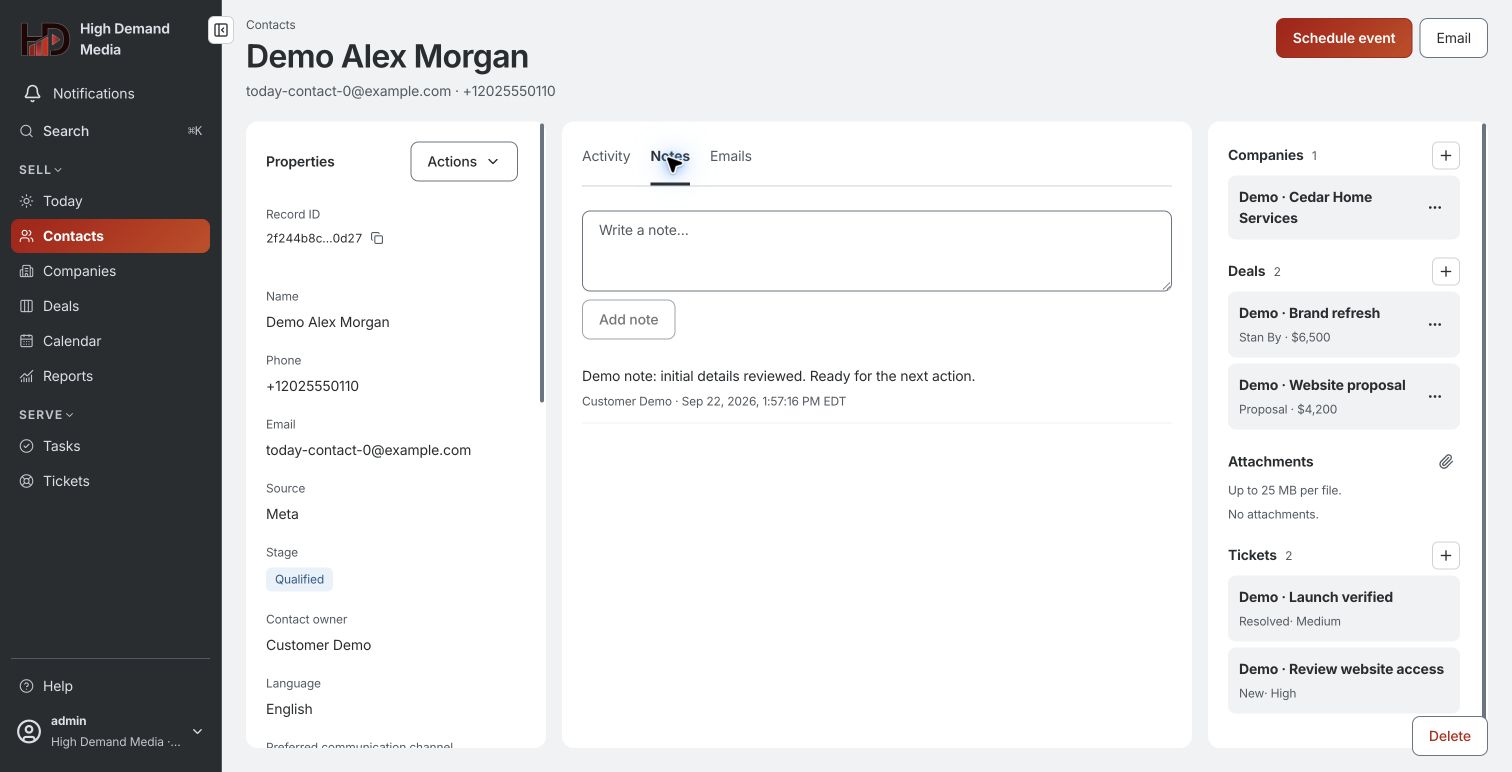
CRM contact record with fictional customer details, notes and activity

02 / See the opportunity

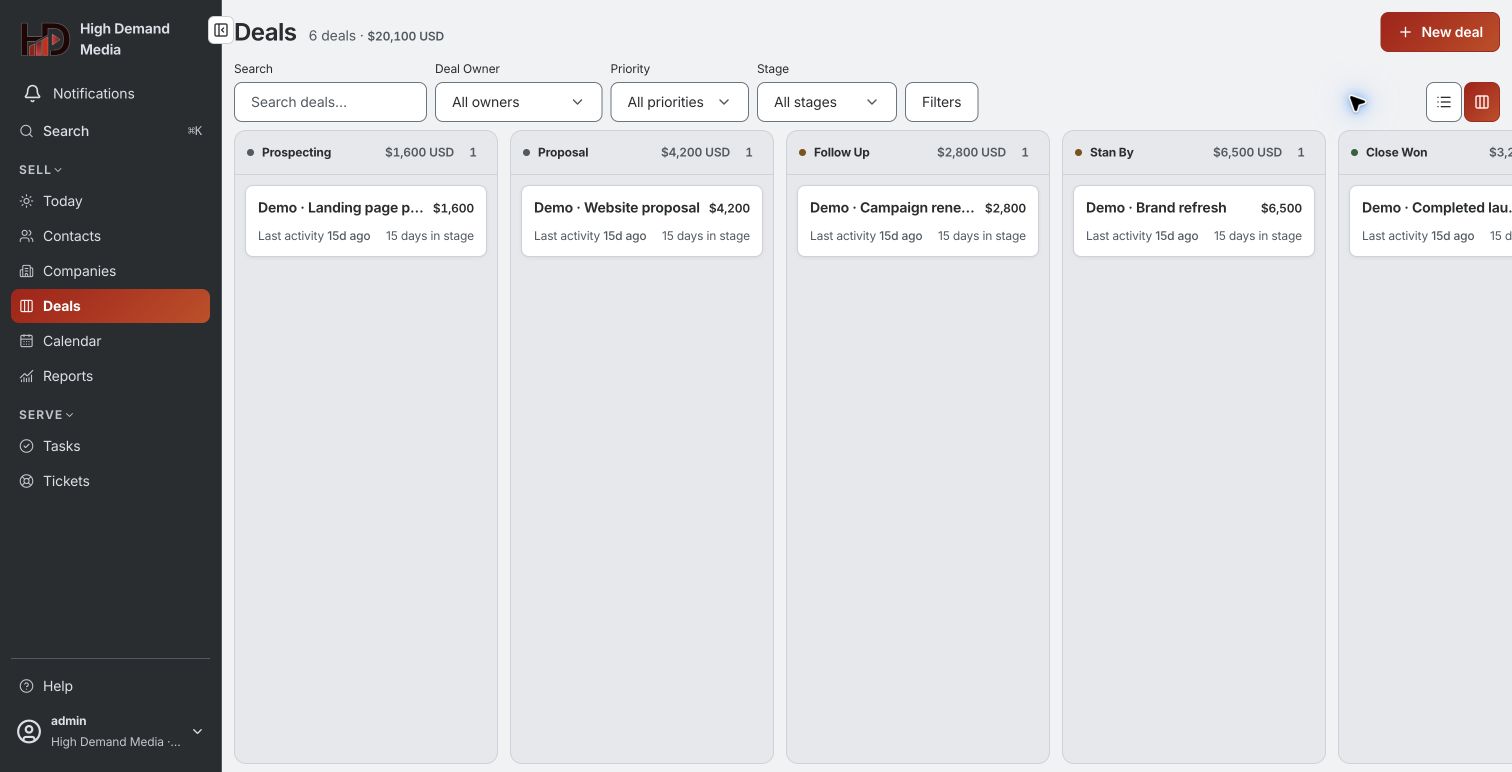
See where every opportunity stands.

Move deals through your sales stages, see who is responsible and keep the next step visible. Spend less time piecing together updates.

  • Visual pipelines that match your process
  • Deal values and stages at a glance
CRM sales pipeline with fictional deals organized by stage

03 / Make the next move

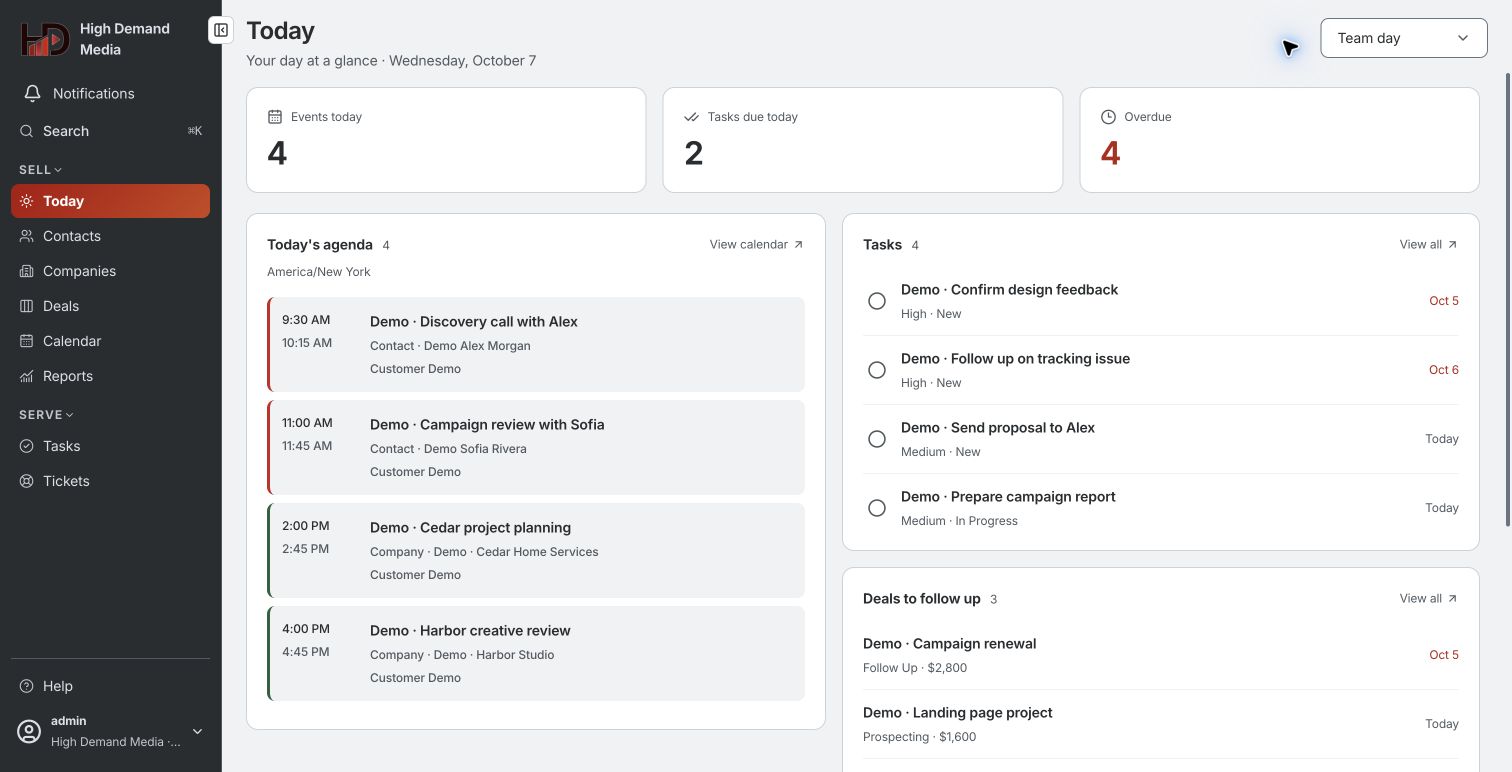
Turn good intentions into next steps.

Assign tasks, set reminders and plan appointments. Give your team a clear view of what needs doing next, alongside the customer relationship.

  • Tasks and reminders with a responsible person
  • Appointments and a connected Google Calendar
CRM daily overview with fictional appointments, tasks and follow-up opportunities

LET’S TALK ABOUT YOUR BUSINESS

A plan for your ads. A place for your leads.

Start with a conversation about your goals, current advertising and sales process. We’ll walk you through the CRM and discuss the service that fits your business.

  1. Tell us what you need

    Share your business, goals and advertising budget through our website.

  2. Meet and explore

    We coordinate a call to discuss your campaigns and demonstrate the CRM.

  3. Set up your workspace

    With the Advanced package, we invite your administrator to set up the organization and their team.